
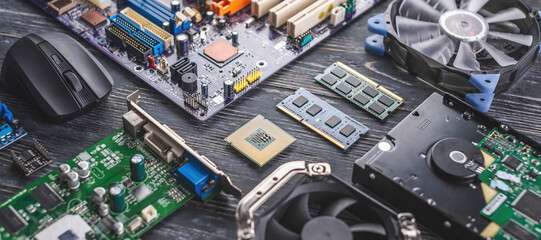
Welcome to our guide on essential computer maintenance! If you’ve ever felt the frustration and financial burden of computer repairs, this is the guide for you. We’ll be exploring practical and easy-to-implement strategies that can help prevent common computer issues from happening in the first place. These actions demonstrate the real preventive computer maintenance benefits that reduce repair costs over time.
From simple cleaning routines to regular updates, and best practices for shutting down your device, we’ll cover it all.
Don’t worry, you don’t need to be a tech whiz to follow these tips – they’re designed for everyday computer users who want to prolong their device’s lifespan and save money.
But the real question is – are you making the best use of these preventative measures?
Stay with us to find out!
Regular Cleaning and Dusting
Regular cleaning is essential for optimal computer performance and longevity. Here are some tips:
External Cleaning:
- Monitor: Gently wipe the screen with a soft, lint-free cloth. For stubborn stains, use a screen cleaning solution.
- Keyboard: Remove debris, then use compressed air to clean between keys. For deeper cleaning, use a soft-bristled brush or isopropyl alcohol.
- Mouse: Wipe the exterior with a damp cloth. Clean the sensor lens or ball and rollers with a soft cloth or isopropyl alcohol.
Internal Cleaning:
- Unplug: Ensure your computer is unplugged before cleaning internal components.
- Compressed Air: Gently blow out dust from fans, heat sinks, and other internal parts.
- Professional Cleaning: For complex internal cleaning, consult a professional.
By following these simple steps, you can keep your computer running smoothly and efficiently.
Software Updates and Antivirus Protection
Keeping your software up to date is crucial for ensuring your computer remains secure and performs at its best.
Here’s why:
- Security Patches: Updates often address security vulnerabilities that could be exploited by hackers.
- Performance Enhancements: Updates can improve your computer’s speed and efficiency.
- New Features: Updates may introduce new features and functionalities.
The Importance of Antivirus Software
Antivirus software is a crucial tool for protecting your computer from malware attacks. It offers:
- Real-Time Protection: Continuously monitors your system for threats.
- Malware Detection and Removal: Scans your computer for viruses, worms, and other malicious software.
- Phishing Protection: Helps identify and block phishing attempts.
- Firewall Protection: Provides a barrier between your computer and the internet.
Best Practices for Computer Security:
- Strong Passwords: Create strong, unique passwords for each of your online accounts.
- Beware of Phishing Attacks: Be cautious of suspicious emails and avoid clicking on links or downloading attachments from unknown sources.
- Regular Backups: Regularly backup your important data to protect against data loss.
- Software Updates: Keep your operating system and software applications up-to-date.
- Antivirus Software: Install and maintain a reliable antivirus program.
- Firewall: Enable your firewall to protect your computer from unauthorized access.
By following these tips, you can significantly enhance the security and performance of your computer.
Proper Shutdown and Startup Practices
Proper shutdown and startup procedures are essential for maintaining the health and longevity of your computer.
Proper Shutdown
- Close Applications: Close all open programs and windows.
- Use the Shutdown Option: Access the shutdown option through your operating system’s start menu or use a keyboard shortcut (e.g., Alt+F4).
- Wait for Completion: Allow the computer to shut down completely before turning it off physically.
Proper Startup
- Power On: Press the power button to turn on your computer.
- Boot Process: Wait for the computer to complete the boot process.
- Log In: Enter your user credentials to log into your account.
- Gradual Startup: Open applications one at a time to avoid overwhelming your system.
Why Proper Shutdown and Startup Matter:
- Data Integrity: Improper shutdowns can corrupt files and lead to data loss.
- System Stability: Abrupt shutdowns can destabilize your operating system.
- Hardware Longevity: Forcing a shutdown can damage hardware components.
By following these procedures, you can help ensure the long-term health and performance of your computer. Many users choose a professional PC maintenance service to ensure nothing critical is overlooked.
The key to avoiding computer repairs in the future lies in preventative maintenance and good habits.
Regular cleaning, software updates, antivirus protection, and proper shutdown and startup practices can go a long way in ensuring your computer’s optimal performance and longevity.
Remember, a little bit of maintenance can prevent a lot of frustration and save you money in the long run.
So, start implementing these practices today, and keep your computer running smoothly for years to come.