
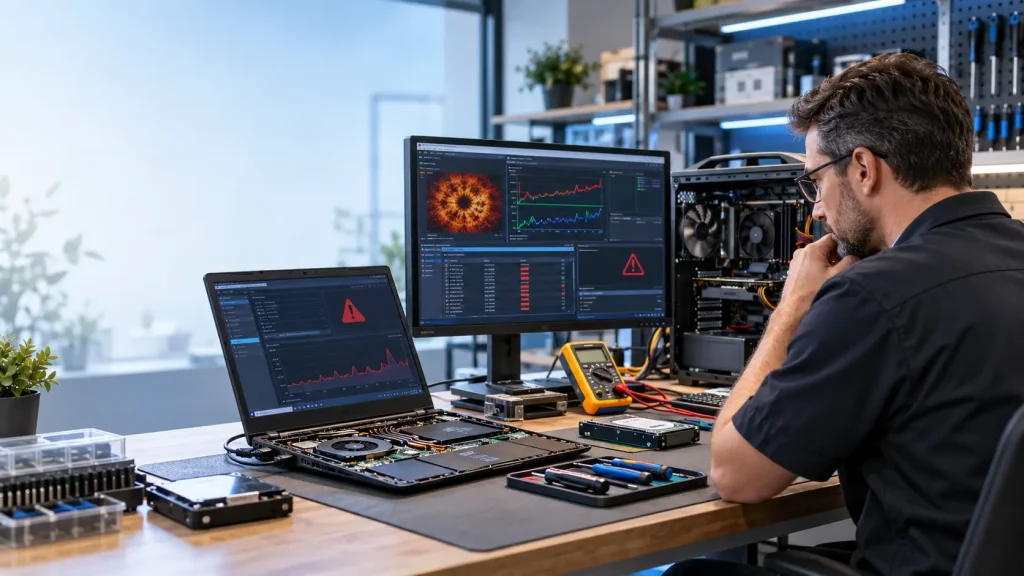
Your computer works fine one minute, then freezes, restarts, or shuts down without warning. Sound familiar?
Random computer problems are among the most frustrating issues to diagnose, especially when they happen without an error message or cannot be reproduced on demand.
At Computer Solutions & Exchange (CSEKC) in Kansas City, we diagnose intermittent crashes, unexpected shutdowns, system freezing, and stability problems affecting laptops, desktops, and workstations.
Whether your computer shuts down during a video call, freezes while working, or restarts under heavy workloads, our approach is to identify what is causing the failure before recommending replacement parts or reinstalling Windows.
Engineer-led diagnostics | Kansas City repair shop since 2011 | 60-day labor warranty
Call (913) 980-7665 or visit 8137 Wornall Rd, Kansas City, MO 64114.
Is Your Computer Having One of These Problems?
Not every computer failure comes with a blue screen or warning. Some problems happen suddenly, leaving little information about what went wrong.
We diagnose computers experiencing:
- Random shutdowns: Your computer turns off unexpectedly, sometimes without displaying any error.
- Unexpected restarts: The system reboots while you’re working, gaming, or browsing.
- Freezing or locking up: The mouse and keyboard stop responding, forcing you to restart.
- Crashes under heavy use: The system becomes unstable when running demanding programs, games, or multiple applications.
- Black screens: The display goes black while the computer appears to remain powered on.
- Intermittent startup failures: The computer starts normally sometimes but fails to boot at other times.
- Repeated Windows crashes: Blue screens, application failures, or Windows instability continue despite previous repair attempts.
These symptoms can have very different causes. Replacing a battery, SSD, or motherboard without proper testing may not solve the problem.
If you’ve already tried restarting, updating Windows, or reinstalling drivers and the problem keeps coming back, bring your computer to CSEKC for a professional diagnosis.
We Diagnose the Cause, Not Just the Symptoms
One of the biggest challenges with random computer shutdowns is that the problem may not appear during a short diagnostic test.
A laptop might operate normally for hours at a repair shop but freeze when its owner opens multiple browser tabs, connects a docking station, or runs a demanding application.
That’s why our diagnostic process goes beyond checking whether the computer turns on.
Depending on the symptoms and system configuration, we investigate several possible causes.
CPU and GPU Overheating
Excessive heat, failing cooling fans, restricted airflow, poor heatsink contact, or deteriorated thermal materials can lead to reduced performance, crashes, or protective shutdowns.
We evaluate the cooling system and monitor temperatures under appropriate workloads to determine whether heat is contributing to the failure.
Memory and Storage Problems
Faulty RAM, unstable memory configurations, and failing SSDs or hard drives can cause intermittent freezing, application crashes, and Windows startup problems.
We test the relevant hardware and assess drive health rather than assuming every freeze is caused by insufficient memory.
Power Delivery and Charging Problems
A laptop with a failing power adapter, charging circuit, battery, or motherboard power component may unexpectedly shut down or restart.
Desktop systems can experience similar problems because of power supplies, cabling, or unstable hardware.
Our diagnostics help determine whether the computer is experiencing a power-related failure.
Motherboard and Component-Level Issues
Not every shutdown is caused by Windows or the cooling fan.
Some failures involve motherboard power regulation, damaged components, unstable electrical connections, or other board-level problems.
CSEKC provides motherboard repair and component-level diagnostics in Kansas City when testing points toward an internal hardware fault.
Windows, Driver, and Software Instability
Corrupted system files, incompatible drivers, Windows updates, background applications, and software conflicts can also cause crashes or freezing.
When testing indicates a software-related issue, we investigate the Windows environment before recommending a reinstall.
Our Computer Stability Diagnostic Process
We don’t believe in replacing parts simply because they might be responsible.
Our diagnostic process is guided by the symptoms and what the computer actually does during testing.
1. We Review the Problem With You
We want to understand when the failure happens.
Does the computer shut down while gaming? Freeze when many browser tabs are open? Restart when unplugged? Does the problem happen once a week or several times a day?
These details help us select more relevant tests.
2. We Evaluate Hardware and System Stability
Depending on the computer and reported failure, diagnostics may include:
- CPU and GPU temperature monitoring
- Cooling fan and heatsink inspection
- RAM and storage diagnostics
- Power adapter, battery, or power supply checks
- Windows error and reliability history review
- Driver and firmware evaluation
- Controlled workload and stability testing
Not every test is necessary for every computer. We focus on the areas most likely to explain the symptoms.
3. We Explain What the Testing Reveals
Once we identify a likely fault, we explain the findings and recommended repair.
If testing does not reproduce an intermittent failure or cannot establish a definite cause, we’ll explain that limitation rather than present a guess as a confirmed diagnosis.
4. We Repair and Verify
After an approved repair, we perform appropriate follow-up testing to check whether the original symptoms have been resolved.
Our goal is not simply to get the computer running again. It’s to address the underlying cause of its instability.
Computer Shuts Down but There Is Nothing in Event Viewer?
This is a situation customers frequently find confusing.
A computer can lose power or freeze without Windows recording a detailed explanation of the failure.
Windows Event Viewer may show Kernel-Power Event ID 41, which indicates that the computer restarted without shutting down cleanly. However, that event alone does not identify whether the cause was a power failure, overheating, hardware instability, or another problem.
In other situations, the system may stop responding before Windows can write useful diagnostic information.
The absence of a clear Windows error does not necessarily mean the computer is healthy.
At CSEKC, we use hardware testing and symptom-based diagnostics alongside Windows logs to investigate difficult-to-reproduce failures.
Laptop and Desktop Random Shutdown Repairs
We work on everyday home computers, business systems, and higher-performance machines.
Laptop Shutdown and Freezing Repair
We diagnose intermittent problems on many major laptop brands, including Dell, HP, Lenovo, ASUS, Acer, and MSI.
Common areas of investigation include cooling systems, memory, internal storage, charging components, and motherboard faults.
For other laptop problems, visit our PC and laptop repair service in Kansas City.
Desktop and Workstation Stability Repair
Desktop computers can experience unexpected restarts because of memory issues, power supply instability, storage failures, cooling problems, or component faults.
We assess the hardware and Windows environment to determine which area requires attention.
Gaming Computer Crashes and Shutdowns
Gaming systems place greater demands on the CPU, GPU, cooling system, and power supply.
If your PC repeatedly crashes during games or intensive workloads, our gaming computer repair service addresses graphics, cooling, power, and system stability issues.
Why Choose Computer Solutions & Exchange?
Engineer-led troubleshooting
CSEKC is led by a computer and electrical engineer, bringing a hardware-focused approach to computer problems that are not always resolved by ordinary software troubleshooting.
Experience with intermittent failures
We understand that a computer can pass a basic test and still have an underlying problem. We investigate the reported conditions rather than relying on one quick check.
Hardware and software repair in one location
From Windows problems to motherboard diagnostics, we evaluate both sides of the system before recommending a solution.
Local Kansas City service since 2011
Our shop is located at 8137 Wornall Road in South Kansas City, so you can bring your computer directly to us and speak with a local repair professional.
Clear repair recommendations
We discuss the findings, repair options, and expected costs before proceeding with approved work.
60-day labor warranty
Our completed repair labor is covered by our 60-day warranty.
How Much Does It Cost to Diagnose a Computer That Keeps Shutting Down?
Our standard computer diagnostic fee is $60, applied toward the repair if you proceed with the recommended service.
The final repair cost depends on the cause. A cooling system problem, Windows software failure, defective storage device, or motherboard issue can require very different repairs.
We evaluate the problem and explain your options before moving ahead.
Frequently Asked Questions
Can you fix a computer that randomly shuts down?
Yes. We diagnose and repair many causes of unexpected shutdowns, including cooling problems, power faults, defective memory, storage failures, and Windows instability. The appropriate repair depends on the diagnostic findings.
What if my computer doesn’t crash while it’s at your shop?
Intermittent problems can be difficult to reproduce. We review the circumstances of the failure, conduct relevant diagnostic tests, and explain what the results do and do not establish. Sometimes additional observation or testing is needed.
Can overheating cause my laptop to shut down without warning?
Yes. Excessive heat or problems with the cooling or power system can cause a computer to throttle, become unstable, or shut down. Temperature and hardware testing can help distinguish overheating from other causes.
Can a computer freeze without showing any errors?
Yes. Hardware faults, software conflicts, memory problems, and power interruptions do not always produce useful error messages. Windows event logs are only one part of diagnosing a computer stability problem.
Do I need to reinstall Windows if my computer keeps crashing?
Not necessarily. Reinstalling Windows may help when software corruption is confirmed, but it will not repair defective RAM, a failing SSD, poor cooling, or a motherboard problem. We recommend diagnosing the cause first.
Will I lose my files during repair?
Many stability repairs can be performed without intentionally deleting personal files. However, failing storage or severe system corruption can put data at risk. We can discuss backup and recovery options before repairs that may affect your data.
How long does random shutdown diagnosis take?
It depends on how frequently the problem occurs and which tests are needed. Some faults can be identified quickly, while intermittent failures may require extended testing. We provide a more specific estimate after reviewing the computer.
Do you repair both laptops and desktop computers?
Yes. We diagnose random shutdowns, crashes, freezing, and other stability problems on Windows laptops, desktop PCs, gaming systems, and business workstations.
Stop Dealing With Unexpected Computer Crashes
A computer that freezes or shuts down without warning can interrupt your work, put unsaved files at risk, and leave you wondering whether the problem is getting worse.
At Computer Solutions & Exchange, we take the time to investigate what’s happening and recommend a repair based on the results.
Whether you’ve been dealing with the problem for days or months, our Kansas City repair shop can help you determine the next step.
Computer Solutions & Exchange (CSEKC)
8137 Wornall Rd, Kansas City, MO 64114
Call: (913) 980-7665
Serving Kansas City, Waldo, Ward Parkway, Brookside, Prairie Village, Leawood, Overland Park, Mission, Grandview, Lee’s Summit, and surrounding Kansas City communities.
Call today to arrange a computer stability diagnosis.