
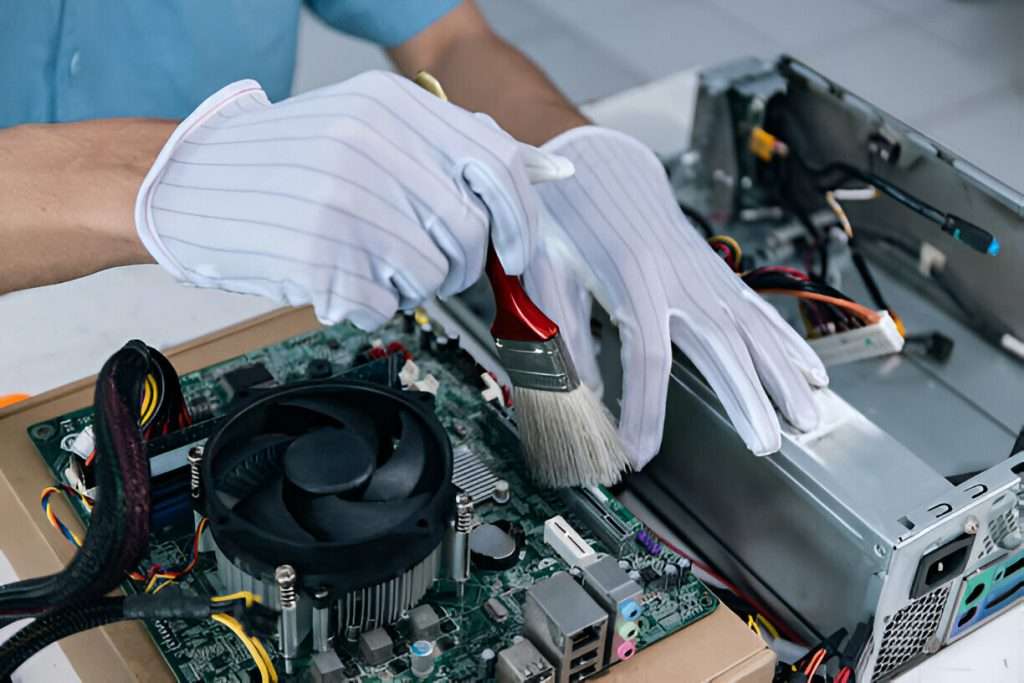
Keeping your PC clean and well-maintained is crucial for its performance and longevity.
You might not realize how dust and debris can impact your system, but regular upkeep can prevent major issues down the line.
Using the right tools and techniques makes all the difference.
Are you ready to discover the essential steps that will keep your computer running smoothly for years to come?
Essential Tools and Supplies for PC Cleaning
Keeping your PC clean improves performance and prevents overheating. The right tools make the process safe and effective.
Must-Have Cleaning Tools
- Compressed Air: Clears dust from fans, vents, and heatsinks. Use short bursts to avoid moisture buildup.
- Microfiber Cloths: Perfect for wiping screens, cases, and peripherals without scratching.
- Isopropyl Alcohol (90%+): Safely removes fingerprints, smudges, and thermal paste.
Extra Supplies for a Deeper Clean
- Soft Brush: Gently removes dust from keyboards, vents, and connectors.
- Electronics Vacuum: Captures dust without generating static electricity.
- Anti-Static Wrist Strap: Protects components from electrostatic discharge (ESD).
Maintain Peak Performance
Regular cleaning prevents dust buildup, overheating, and performance drops. With the right tools, you’ll keep your PC running smoothly for years!
Step-by-Step Guide to Cleaning Your PC
Regular cleaning helps maintain performance and prevent overheating. Follow these steps for a safe and effective clean.
Prepare and Power Down
- Shut down your PC and unplug all cables.
- Move to a static-free workspace and gather your cleaning tools.
- Open the case carefully using a screwdriver.
Clean Internal and External Components
- Use compressed air to remove dust from fans, vents, and components.
- Wipe surfaces with a microfiber cloth and isopropyl alcohol.
- Clean the keyboard and mouse with compressed air and a damp cloth.
3. Reassemble and Power Up
- Ensure everything is dry before closing the case.
- Plug in cables, power up, and check for proper airflow.
- Enjoy a cleaner, more efficient PC!
Regular maintenance keeps your PC running smoothly, preventing issues and extending its lifespan. For a professional tune-up, visit our computer store in Kansas City.
Maintenance Tips for Optimal Performance and Longevity
To keep your PC running efficiently and extend its lifespan, regular maintenance is crucial.
By following these essential steps, you can optimize performance, prevent slowdowns, and avoid potential hardware issues.
Keep Software Updated and Optimize Storage
- Regularly updating your operating system and software ensures you stay protected against security threats while benefiting from the latest performance improvements.
- Removing unused programs and unnecessary files helps free up valuable storage space, allowing your system to run more efficiently.
- If you’re using a traditional HDD, running disk defragmentation periodically can help organize data more effectively and improve access speeds.
Manage Startup Programs and Cooling System
- Disabling unnecessary startup programs can significantly reduce boot times and improve overall system responsiveness.
- Keeping your fans and ventilation system clean is essential, as dust buildup can cause overheating, which may lead to sluggish performance or even hardware failure.
Back Up Important Data Regularly
- Using cloud storage services or external hard drives for backups ensures that your critical files remain safe in case of system crashes or data corruption.
- Scheduling automatic backups can save time and effort while providing peace of mind that your important documents, photos, and files are always protected.
By staying proactive with routine maintenance, you can enhance your PC’s speed, stability, and reliability while preventing costly repairs or replacements down the line.
Taking care of your PC through regular cleaning and maintenance not only enhances its performance but also extends its lifespan.
With the right tools, proper cleaning techniques, and routine software upkeep, you can prevent overheating, improve efficiency, and safeguard your important data.
A well-maintained PC ensures a smoother user experience, fewer technical issues, and long-term reliability, keeping your system in peak condition for years to come.