
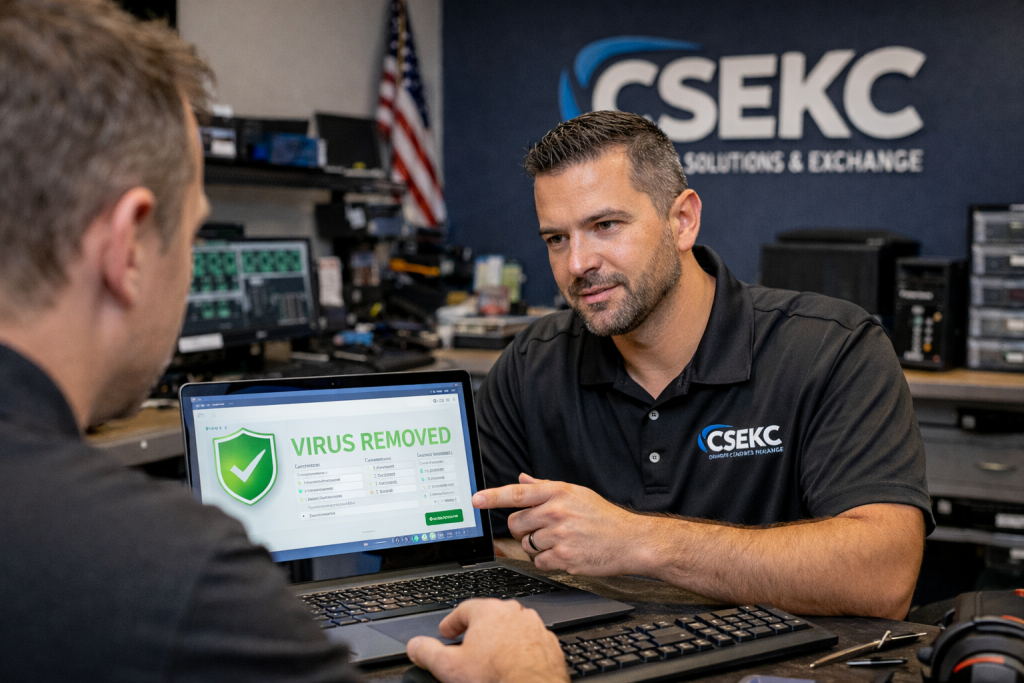
In today’s connected world, computers are constantly exposed to viruses, malware, phishing attacks, and ransomware. These threats can slow performance, steal personal information, and even lead to identity theft. Many infections don’t come from obvious mistakes—they happen through everyday activities like browsing websites, downloading files, or clicking links that appear legitimate. If you’re already seeing pop-ups, slow performance, or suspicious behavior, our virus & malware removal in Kansas City can clean and secure your computer fast.
The good news? By following a few proven security practices, you can significantly reduce your risk and keep your computer running safely and efficiently.
Why Computer Virus Protection Matters
Common Virus Infections We Fix at Our Kansas City Repair Shop
At our Kansas City computer repair shop, we see virus and malware infections every week. While online advice often focuses on “safe browsing,” many real infections happen in ways people don’t expect.
Some of the most common virus issues we fix include:
• Fake Microsoft or security pop-ups that lock the browser and demand payment
• Email attachments labeled as invoices, shipping notices, or scanned documents
• Free PDF tools, ZIP files, or “driver updates” bundled with hidden malware
• Browser hijackers that change search engines and inject ads
• Remote access scams where attackers gain control of the computer
In many cases, customers already have antivirus software installed. The problem isn’t awareness — it’s that modern malware is designed to bypass basic protections and persist even after rebooting.
Computer virus protection is essential for safeguarding your system against:
- Viruses
- Worms and Trojans
- Ransomware

- Spyware and adware
- Phishing and malicious scripts
A reliable security setup continuously detects, blocks, and removes malicious software, protecting your data, passwords, and personal files.
Without proper protection, even a single infected file can:
- Compromise sensitive information
- Corrupt important documents
- Slow or crash your system
- Allow unauthorized access
If a scan doesn’t fully fix the issue, it may need a deeper cleanup. Our team offers professional virus removal and spyware cleanup for Windows PCs and laptops.
How Do Computer Viruses Spread?
Understanding how infections occur helps you avoid them. Most viruses enter systems through:
📨 Phishing Emails
Fake messages designed to look legitimate that contain infected attachments or links.
🌐 Unsafe Websites
Malicious or compromised websites that automatically download harmful scripts.
📥 Untrusted Downloads
Free software, cracks, and unofficial apps often bundle malware.
📱 Removable Devices
USB drives or external devices can transfer viruses between computers.
Why Antivirus Software Alone Is Often Not Enough:
Antivirus software is an important first line of defense, but it does not stop every threat. Many modern infections use techniques that traditional antivirus tools struggle to detect.
We often see systems where:
• Malware hides in startup tasks or scheduled processes
• Browser-based infections reinstall themselves after removal
• System files are modified to avoid detection
• Multiple threats exist at the same time
This is why DIY virus removal frequently fails. Removing visible symptoms does not always eliminate the underlying infection, which can lead to reinfection days or weeks later.
When Hackers Access Bank Accounts: A Real Situation We See Too Often
One of the most serious situations we encounter is when customers discover unauthorized bank transfers or account activity after using an infected computer.
A common misconception is that banking websites are “too secure to be hacked.” While banks do use strong security measures, attackers rarely break into the bank itself. Instead, they compromise the computer or browser being used to access the account.
Even with two-factor authentication enabled, malware can:
• Capture login credentials through browser hijacking or keylogging
• Intercept authentication sessions in real time
• Redirect users to convincing fake banking pages
• Exploit already logged-in sessions
In several cases we’ve handled, customers believed two-factor authentication made them completely safe. Unfortunately, when a system is already compromised, attackers may still gain access before the user realizes something is wrong.
If you believe your computer may be compromised and you notice suspicious bank activity, act immediately:
1️⃣ Disconnect the computer from the internet
- Unplug the network cable or turn off Wi-Fi to prevent further access.
2️⃣ Do NOT log into your bank on the infected computer
- Using the same device can expose new credentials.
3️⃣ Check your bank account from a safe device
- Use your cellphone or a different, trusted computer to review activity.
4️⃣ Contact your bank directly
- Banks can freeze transactions, reverse transfers, and secure the account faster when notified immediately.
5️⃣ Have the computer professionally inspected
- Before reconnecting to the internet, the system should be fully scanned and cleaned to prevent reinfection or further data loss.
Computer Virus Protection Tips (Best Practices)
1️⃣ Keep Your Software Updated
Operating system and browser updates include critical security patches. Outdated software is one of the most common entry points for cybercriminals.
2️⃣ Use Reliable Antivirus Software
Choose reputable antivirus protection that provides:
- Real-time threat monitoring
- Automatic scanning
- Ransomware and phishing protection
If you’re choosing protection for your system, reviewing independent tests of the best antivirus software options can help you select a reliable solution.
3️⃣ Practice Safe Browsing
- Avoid clicking suspicious links or pop-ups
- Download files only from trusted sources
- Be cautious with email attachments
4️⃣ Use Strong Passwords & Two-Factor Authentication
Unique passwords and 2FA prevent unauthorized access even if credentials are compromised.
5️⃣ Install Ad Blockers & Pop-Up Filters
These reduce the risk of accidentally clicking on malicious ads or fake alerts.
6️⃣ Protect Yourself on Public Wi-Fi
Use a VPN when connecting to public networks to encrypt your data and prevent interception.
For additional guidance on keeping your computer safe from viruses, malware, and online threats, you can review government online security recommendations from a trusted authority.
How to Protect Your Computer from Malware
🔄 Keep Everything Updated
Your operating system, browser, antivirus software, and applications should always be current. Security updates fix vulnerabilities that hackers exploit.
🔍 Run Regular Scans
Schedule weekly or automatic scans to detect hidden threats early.
🔐 Back Up Important Data
In case of ransomware or system failure, backups ensure you don’t lose critical files.
🚫 Avoid Suspicious Software
Free tools from unverified sources often carry hidden malware.
Warning Signs Your Computer May Be Infected
If you notice any of the following, your system may already be compromised:
- Slow performance or frequent crashes
- Unexpected pop-ups or ads
- Browser redirects to unknown websites
- Programs opening or closing by themselves
- Files missing or encrypted
Ignoring these symptoms can allow malware to spread and cause permanent damage.
What to Do If Your Computer Already Has a Virus
Even with good habits, infections can still happen—especially as malware becomes more sophisticated.
If your computer is already acting strangely:
- Disconnect from the internet
- Run a full antivirus scan
- Avoid entering passwords or personal information
- Seek professional removal to prevent data loss
👉 If you’re in Kansas City and your computer is infected, professional virus and malware removal can ensure your system is fully cleaned, secured, and protected against future attacks.
Why Choose CSEKC for Virus & Malware Removal?
At Computer Solutions & Exchange (CSEKC), we specialize in:
- Advanced virus and malware removal
- Data protection and recovery
- Security software installation
- System optimization and cleanup
We don’t just remove infections—we identify vulnerabilities, secure your system, and help prevent future attacks. Want it handled professionally? Visit CSEKC for fast virus removal and malware protection in Kansas City.
If your computer is running slow, showing pop-ups, or behaving unusually, don’t wait until important data is lost.
📞 Call CSEKC today at (913) 980-7665
📍 Visit us in Kansas City for fast, professional virus removal and computer security services.
Frequently Asked Questions
What is the best way to avoid computer viruses?
- The best way is to keep software updated, use reputable antivirus protection, avoid suspicious links or downloads, and practice safe browsing habits.
Can antivirus software stop all malware?
- Antivirus software blocks most threats, but no system is 100% immune. Combining antivirus with safe behavior and updates provides the strongest protection.
How often should I scan my computer for viruses?
- At least once a week, or enable automatic real-time scanning for continuous protection.
Can viruses steal my personal information?
- Yes. Many types of malware are designed to collect passwords, financial data, and personal files without your knowledge.
What should I do if my computer is already infected?
- Disconnect from the internet, avoid logging into accounts, and have the system professionally cleaned to prevent data loss.
Can a computer still get viruses even with antivirus installed?
- Yes. Antivirus software blocks many threats, but modern malware often uses techniques that bypass basic detection. This is especially common on systems that are not fully updated or already compromised.
Why does my computer keep getting reinfected after removing a virus?
- Reinfection usually means the original malware was not fully removed or there are underlying system vulnerabilities. Startup tasks, browser extensions, or outdated software can cause infections to return.
Should I wipe my computer after a virus infection?
- Not always. Many infections can be safely removed without wiping the system. However, severe or persistent malware may require deeper cleanup or a clean OS installation to ensure full security.