
If your computer has been running slower than usual, crashing unexpectedly, or freezing during tasks, a PC diagnostic service could be your solution. While many users try troubleshooting issues independently, not every problem can be resolved with a quick restart or software update.
Professional diagnostic services are designed to pinpoint hardware and software issues that impact performance. By identifying the root causes of these problems, a diagnostic service helps restore and even enhance your computer’s speed, stability, and reliability.
Let’s explore how this service can improve your PC’s performance and extend its lifespan.
Detects Hidden Hardware Failures
Even when a computer appears to be working, it may have undetected hardware problems that slow it down or cause instability.
- Identifies failing hard drives or RAM: A PC diagnostic will test the health of your memory and storage devices. Failing components often degrade gradually, and catching them early can prevent data loss and slowness.
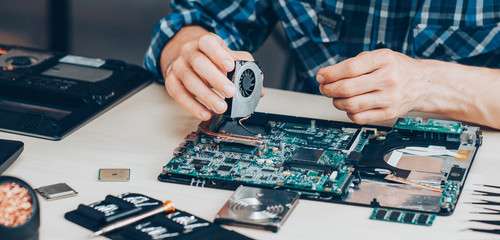
- Checks for overheating or fan malfunctions: Overheating due to faulty fans or dust buildup can throttle your CPU and reduce overall performance. Technicians measure internal temperatures and recommend cooling solutions.
- Test power supply consistency: Inconsistent power from a failing PSU can lead to random shutdowns or freezing. Diagnostic tools can detect voltage irregularities that impact stability.
Uncovers Software Conflicts and System Errors
Software-related issues are among the most common causes of poor PC performance, especially if left unresolved for a long time.
- Scans for corrupt system files and registry errors: These errors can cause programs to crash, load slowly, or not run. A diagnostic can find and repair these problems to restore functionality.
- Detects background processes slowing your system: Some applications run in the background without your knowledge, consuming valuable memory and CPU resources. Identifying and disabling them can boost speed.
- Identifies outdated or incompatible drivers: Drivers act as communication bridges between hardware and software. Outdated or corrupted drivers often cause performance hiccups, which diagnostics can help correct.
Optimizes Boot Times and System Start-Up
If your computer takes a long time to start, a diagnostic service can help streamline the boot process and reduce startup delays.
- Analyzes and trims startup programs: Too many applications set to launch at startup can significantly delay boot times. Technicians can recommend which programs to disable for a faster launch.
- Check BIOS/UEFI settings: Incorrect or outdated BIOS settings may cause hardware delays during startup. Adjusting these settings as part of the diagnostic can shorten boot time.
- Verifies operating system integrity: Problems within your OS can slow down initialization. Diagnostics may include OS repair procedures that help the system start cleanly and quickly.
Improves System Resource Management
A PC diagnostic helps ensure your system uses its resources—like memory, CPU, and storage—efficiently, reducing lag and improving response time.
- Monitors real-time resource usage: Tracking how much memory or CPU different applications consume helps identify resource hogs. Reducing or removing them makes room for other tasks.
- Detects storage fragmentation or low disk space: Full or fragmented drives can drastically affect performance. Diagnostics will highlight storage inefficiencies and suggest cleanup or optimization.
- Evaluates RAM performance under load: Some applications require more memory than your system can efficiently handle. Diagnostics help determine if an upgrade is needed to maintain performance.
Provides Preventive Maintenance Insights
Beyond immediate fixes, diagnostic services offer recommendations to prevent future performance issues, saving you time and money in the long run.
- Offers a performance baseline report: A snapshot of your system’s health helps you track improvements over time and spot new issues before they escalate.
- Recommends hardware or software upgrades: Sometimes, boosting performance is a matter of updating aging components or installing more efficient software. Diagnostics provide tailored suggestions.
- Identifies early signs of malware or security risks: Malware can silently degrade system performance. A comprehensive diagnostic often includes security scans to detect hidden threats.
A PC diagnostic service is more than just a troubleshooting tool—it’s a proactive approach to keeping your computer running at peak performance. Whether your machine is lagging, freezing, or behaving unpredictably, a professional diagnostic can uncover the underlying issues and suggest concrete solutions.
From detecting hardware failures and fixing software conflicts to optimizing resource use and offering future-proofing advice, diagnostics play a critical role in maintaining a smooth, responsive computing experience. Investing in a regular diagnostic check is a smart and worthwhile decision for anyone who relies on their PC for work, study, or daily tasks.